Several days ago, I shared with you my first few impressions about the Smart Netphone 701. I’m just so glad that it’s finally available now in all Smart Centers and a lot of us have gotten ourselves a unit. If you’re still undecided and would want to get some feedback from current users of Smart Netphone, then please read on.
I’ll be sharing in this post my experience with the Netphone 701. It has been a week since I’ve been actively using it. My main phone has to take a back seat while I explore all the features of this beautiful-looking phone.
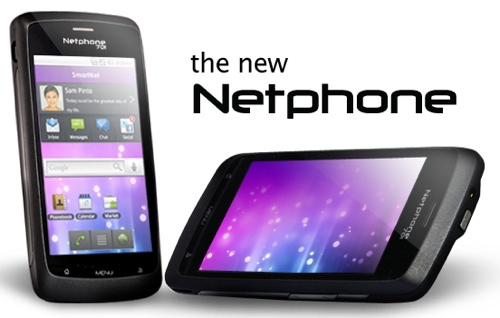
It wasn’t my first time to review an Android phone but this is different because it’s a Smart-designed phone. But you know what? The Netphone 701 is actually a re-branded ZTE Blade phone. Don’t expect this phone to compete with the iPhones & the Samsung Galaxy SIIs. We can consider the Smart Netphone 701 a mid-range smartphone.
Unboxing
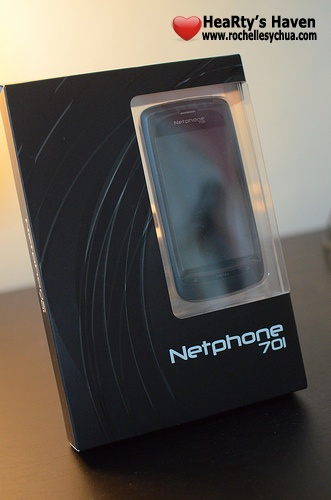
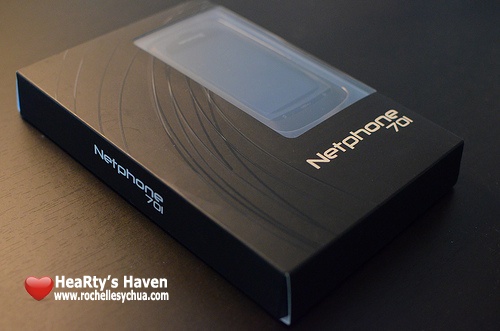
Oh, how I love the packaging of Netphone 701. It’s very straightforward. You can even see the phone through it. I like the simplicity of the box design as well. The box and the phone have matching colors too! Cute!
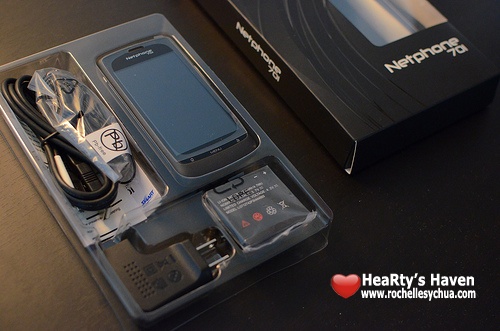
Inside the box are the ff.:
- Smart Netphone 701 Unit
- Battery
- USB to Micro USB cable
- Charger Adaptor
- Earphones
- Unit Warranty
- Netphone Quick Guide
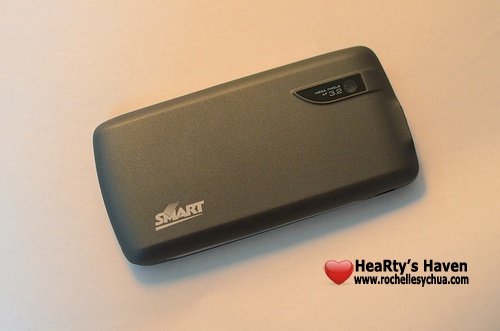
I immediately grabbed the unit and checked out its design. I noticed then the camera of the Netphone 701 plus the Smart logo at the back. I was like, wow, the Netphone 701 has a 3.2 megapixel camera (my iPhone’s camera only has 2 megapixels :P).

Since I intend to have the Smart Netphone 701 as my secondary phone, I opted to use a Smart Buddy pre-paid SIM card.

I love how the Netphone Quick Guide was laid out. It’s very visual, super easy to understand and so easy to follow. No boring manual this time! Wohoo!
Specifications
- Qualcomm MSM7227 chipset
- 600 MHz ARM11 processor
- 3.2 megapixel camera
- Android Froyo 2.2
- 120g, 114mmx56mmx12.2mm
- 512 MB on-board memory + 2GB Micro SD card
- 3.5-inch 800×480 WVGA multi-touch screen with 262k color display
- FM radio tuner
- GPS support
Experience
I’m not going to lie. I’m not a big fan of Android OS. In all honesty, I’m a pretty huge Apple fan. That means I prefer iOS over android OS anytime. But why do I like to keep this Smart Netphone 701 which is an Android phone? One reason — SmartNet.

SmartNet is basically a new service that consists of a group of applications suited for Smart users.
- Smart Center

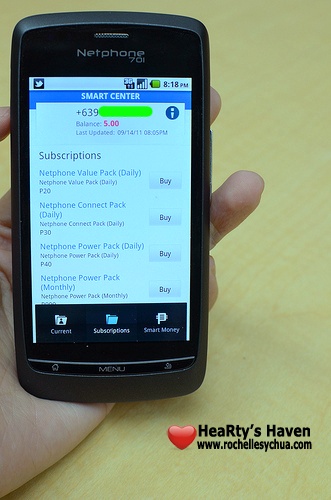
This is a super useful service. Imagine saving so much time calling the Smart Customer Service. You already have the usual information you need whenever you call the hotline.
With Smart Center, you can do the ff.:
– Check your postpaid bill or prepaid load balance instantly
– See and track your current subscription
– Choose and purchase packages to subscribe to
– Reload your phone without visiting a SMART loading center
– Pay your bill without going to a payment center
My favorite feature has got to be knowing the load balance of my prepaid SIM card instantly! Uber cool! 🙂
- Netphone Messenger
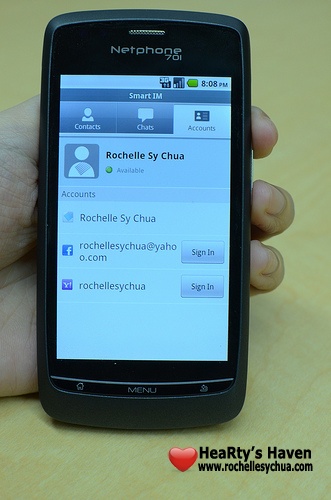
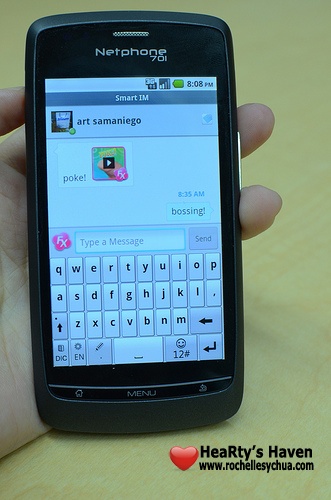
With Netphone messenger, we can chat with friends on Facebook, YM and Smartnet all in one nifty application! I rarely use the chat feature of Facebook and YM but I use SmartNet’s a lot. That’s because we don’t need to spend a single centavo if we send messages to fellow Smart Netphone users (until December 31, 2011 that is).
- FX Messaging
This is the cutest feature of SmartNet! If we want to say hi to our friends, why not do it in style? FX message is emotive messaging, a short video that we can share to our contacts.
- Social Stream


SmartNet’s Social Stream is the main driver why I want to own a Netphone 701. Since the service is being offered by Smart for free till December 31, 2011, I wanted to grab the opportunity. I just hope Smart will continue to keep it free next year.
A lot of us are super users of Facebook and Twitter. I must admit that I even subscribed to a postpaid data plan before just to be able to update my Facebook and Twitter accounts when mobile. If I hadn’t lost my MiFi in a trip, I would have continued with the expensive monthly data plan. Good thing, Smart launched this at a right time. Now, I’m saving a lot of money because of this new service. I get updated with a lot of stuff through the Social Stream.
- Global Directory

I never forget my friends’ names but I never remember their exact mobile numbers. So when I saw the global Directory, I was ecstatic! All I need to know is my friends’ names and I can add them on my Netphone’s contact list. As long as they are registered on smartnet.ph or has a Smart netphone, then we can definitely find them in the Smart Global Directory.
- Safe Internet Browsing

You may be wondering how we can access Netphone messaging and Social Stream without being charged a single centavo. The answer is SmartNet’s Safe Internet Browsing. As long as you turn it on, then you don’t have to worry about being charged when using the SmartNet’s services. If you’re clicking links outside of SmartNet services, browsing charges will apply (Php10 for 30 minutes).
How to Get One

Smart Netphone 701 is available on prepaid at Php 9,900. However, you can get it for free at postpaid data lite plan Php800. You can find full details on plans & subscriptions with Smart Netphone 701 at the Smart Netphone website.
Do I recommend you get it? Well, it really depends on your needs. As for me, I’m happy having the Smart Netphone 701 as my secondary phone. I use it primarily to update my Facebook & Twitter accounts as well as view Facebook status messages and tweets when mobile.